Follow a phrase.
Browse patterns, original technique studies and timing templates. Search their names and tags, then audition a candidate through your routed instrument.
DISCOVER BEFORE YOU LOAD
AUDIO PLUGINS / MIDI GENERATOR
Find a phrase.
Make it your own.
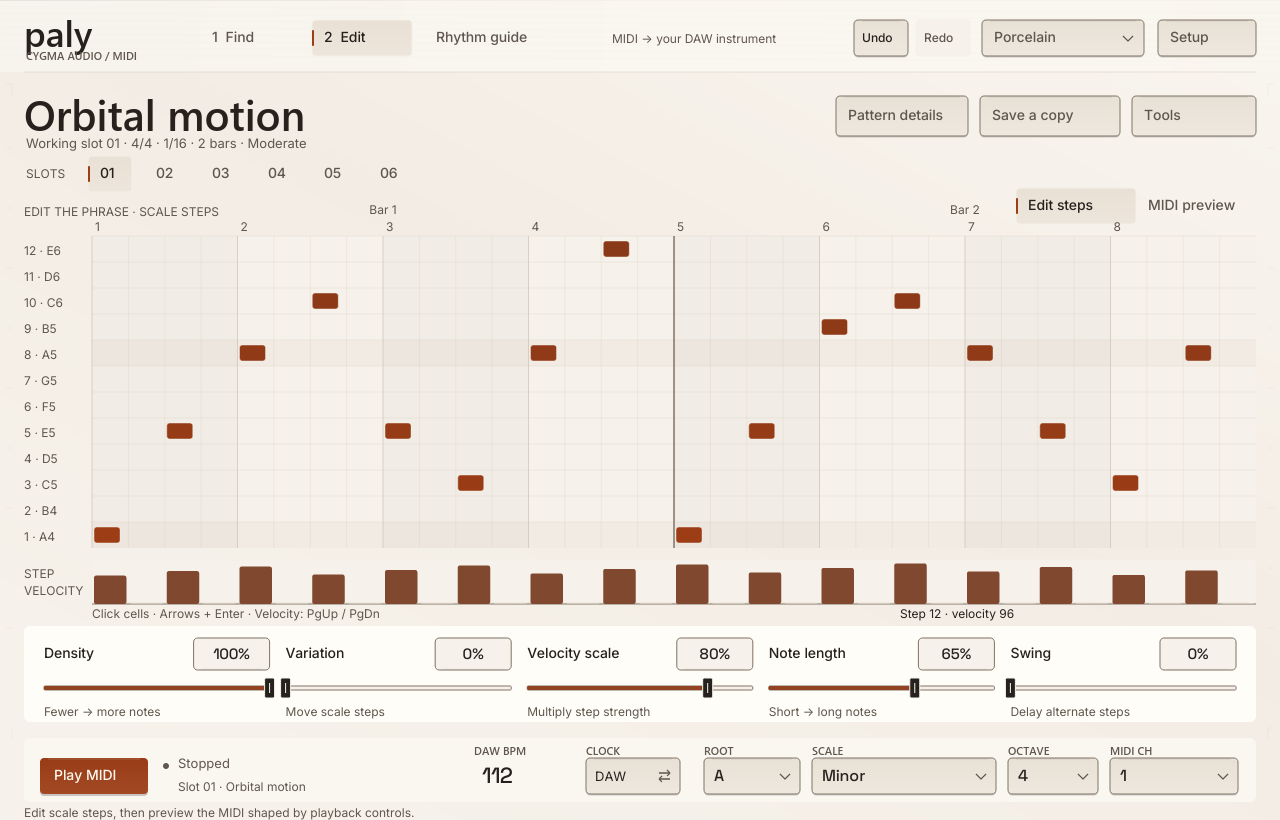
Explore rhythm patterns, edit their scale steps and send the resulting MIDI to an instrument in your DAW. Paly generates notes; your routed instrument supplies the sound.
OPEN BETA
FIND → EDIT → PLAY
Keep the rhythm you like while exploring the notes, feel and instrument around it.
Browse patterns, original technique studies and timing templates. Search their names and tags, then audition a candidate through your routed instrument.
DISCOVER BEFORE YOU LOADLoad into one of six working slots. Edit notes, chords and velocities on a two-bar grid, choose a root and scale, then save an independent copy.
THE PHRASE, IN YOUR HANDSRoute Paly’s MIDI output to your instrument. Follow DAW tempo and transport, or use the internal clock while you explore.
YOUR INSTRUMENT MAKES THE SOUNDSHAPE THE FEEL
Five controls stay close to the phrase in both Find and Edit: Density, Variation, Velocity scale, Note length and Swing.
Reduce note density, adjust velocity and delay alternate steps with Swing. Shape a busy idea into something that fits the part.
Move scale steps with Variation and change their duration with Note length. The MIDI preview shows the transformed output.
Patterns store scale steps, so changing the output root or scale maps the same phrase to a different set of notes.
AN OPTIONAL REFERENCE
Capture live MIDI or audio, or import a MIDI file, to compare patterns against a reference. Audio analysis supplies rhythm information; it does not recognise pitch or scales.
Matching scores are application heuristics, not recognition probabilities. You control the DAW routing and the final musical choice.
AVAILABILITY
Paly 0.1.0 is available in open beta for Windows x64 in VST3, CLAP and standalone formats. The plugins need a host that routes MIDI output to an instrument; routing support varies by DAW. The standalone can send notes through an existing MIDI output port.
The built-in groove library, scales and timing templates are already embedded. Download the format you need, explore the patterns and tell us how it fits your workflow.
OPEN BETA · Windows x64
Version 0.1.0 · 2026-10-15
Choose a format, add a pack, or get everything together.
Free to download. Ko-fi support is optional. Each download opens a short support window before the link becomes available.
All current Paly Windows x64 formats, embedded libraries and documentation.
Paly 0.1.0 for Windows x64: VST3. Original instructions and licence notices included.
Paly 0.1.0 for Windows x64: CLAP. Original instructions and licence notices included.
Paly 0.1.0 for Windows x64: Standalone. Original instructions and licence notices included.
A FEW GOOD QUESTIONS
Paly generates MIDI for a separate instrument. Its stereo audio bus passes through unchanged. Put it before a compatible instrument or route its MIDI output to an instrument track in your DAW.
No. Role, sound and genre preferences rank patterns in Find. Choose the actual sound or preset in your instrument.
No. Browse and edit patterns directly. Reference capture and MIDI-file analysis are optional ways to explore matching phrases.
Yes. Drag MIDI clip from Find or Edit onto a DAW track, or click it to copy or save a standard MIDI file. Export uses your current output key, scale and shaping settings. Portable pattern JSON remains scale-relative.
INDEPENDENT, WITH INTENTION
Thoughtful feedback, real session notes and a little support all help us build better tools.